
If you’ve ever seen your computer slow down after opening multiple programs, editing photos or playing games, it might have made you wonder if adding more RAM would help. I’ve asked the same question while upgrading my own systems. The reality is that RAM has a huge impact on how smooth and responsive a computer feels for real-world tasks.
In this guide, I’ll take you through everything you need to know about computer memory — what it is, why it matters and how much of it you actually need. Whether you’re surfing the internet, gaming, editing video or coding, understanding RAM will help you make better decisions when it comes to upgrading and help you get more bang for your buck out of your machine.
I’ll also discuss when it’s wise to upgrade and how to select a memory module that meets your requirements throughout this article.
What Is RAM, and Why Does It Matter?
Most people think of RAM as another technical specification found on a computer’s spec sheet. But in my experience working with PCs, RAM often determines whether a system feels fast and responsive or sluggish and frustrating to use.
Understanding how RAM works will help you understand why memory upgrades are one of the most effective ways to improve performance.
What Is RAM in a Computer?
First things first — what exactly is RAM?
RAM stands for Random Access Memory, and it acts as your computer’s short‑term memory. It stores the data your system is actively working with, helping everything run quickly and smoothly.
When you open a document, launch a browser or start a game, your computer loads the necessary data into RAM so the processor can access it instantly.
If your system doesn’t have enough RAM, it starts using storage (SSD or HDD) as temporary memory. This process is called virtual memory, and it significantly slows down performance.
You can read a deeper technical explanation here:
| Feature | Description |
|---|---|
| Function | Stores programs and data temporarily in active use |
| Speed | Much faster than storage drives |
| Volatility | Data disappears when power is turned off |
| Purpose | Helps multitasking and system responsiveness |
| Common Types | DDR4 and DDR5 memory modules |
You can think of RAM as your computer’s workspace. The larger the workspace, the more tasks your computer can handle simultaneously.
Why RAM Matters for Performance
From personal experience, one of the fastest ways to improve an older computer is upgrading its RAM.
When your system runs out of memory, it starts using the storage drive as temporary memory — which dramatically slows down performance.
Here are some reasons why RAM plays such a critical role in system performance:
- Enables smoother multitasking
- Reduces lag when opening apps and browser tabs
- Improves responsiveness
- Supports demanding software like games or editing tools
- Boosts performance for creative workloads
How RAM Works in a Computer
Understanding how RAM interacts with the rest of your system helps explain its importance.
Whenever you open a program, your computer loads files from storage into RAM. Because RAM is significantly faster than storage drives, the CPU can process this data quickly.
A simple analogy is to think of RAM as your work desk.
If the desk is small, you can only work on a few documents at a time. If it’s large, you can spread out multiple projects and work efficiently.
That’s exactly how RAM works inside a computer.
How Much RAM Do You Need for Your Computer?
The amount of RAM you need depends heavily on how you use your computer.
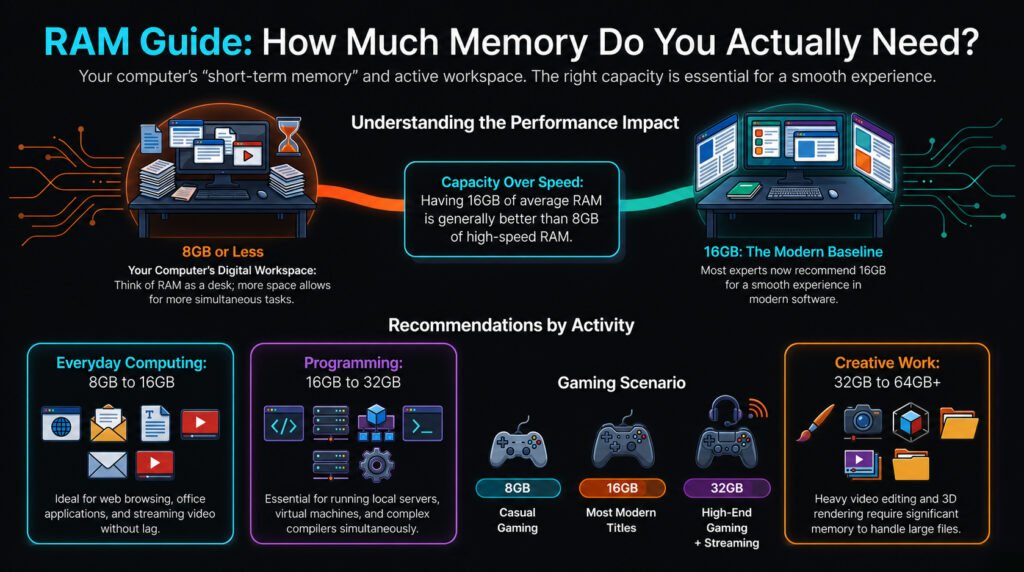
For basic tasks like web browsing, email and document editing, 8GB of RAM is usually enough. However, heavier workloads or multitasking may require 16GB or more.
As software becomes more complex, memory requirements continue to increase. That’s why many experts recommend 16GB as the modern baseline for new computers.
RAM for Everyday Computing
For everyday users, RAM requirements are relatively modest.
Typical activities include:
- Web browsing
- Watching videos
- Using office applications
- Email and messaging
In my experience, 8GB to 16GB provides the best balance between performance and cost.
If you frequently keep many browser tabs open or run multiple applications simultaneously, upgrading to 16GB can make your system feel significantly faster.
RAM for Gaming
Gaming PCs require more memory because modern games load large textures, environments and physics calculations into RAM.
A common question among gamers is: How much RAM is enough for gaming?
Currently, 16GB is the sweet spot for most modern games.
However, 32GB can improve performance if you also stream gameplay, run background apps or play highly demanding titles.
Gaming Scenario | Recommended RAM |
|---|---|
| Casual gaming | 8GB |
| Most modern games | 16GB |
| High-end gaming + streaming | 32GB |
| Competitive gaming systems | 16–32GB |
RAM for Creative and Professional Work
Creative professionals often need significantly more memory.
Software used in professional workflows tends to be RAM-intensive.
Examples include:
- Video editing software
- Graphic design tools
- 3D rendering programs
- Software development environments
RAM for Video Editing
Video editing uses very large files that demand strong storage and system resources.
Programs like Adobe Premiere Pro and DaVinci Resolve benefit greatly from larger memory capacity.
For video editing, I usually recommend:
- 32GB minimum
- 64GB or more for professional workloads
RAM for Programming
Developers often run multiple tools simultaneously:
- Code editors
- Compilers
- Browsers
- Local servers
- Virtual machines
Because of this, 16GB is usually the minimum for programming, while 32GB is ideal for heavy development environments such as Android Studio or machine learning tools.
Laptop RAM vs Desktop RAM
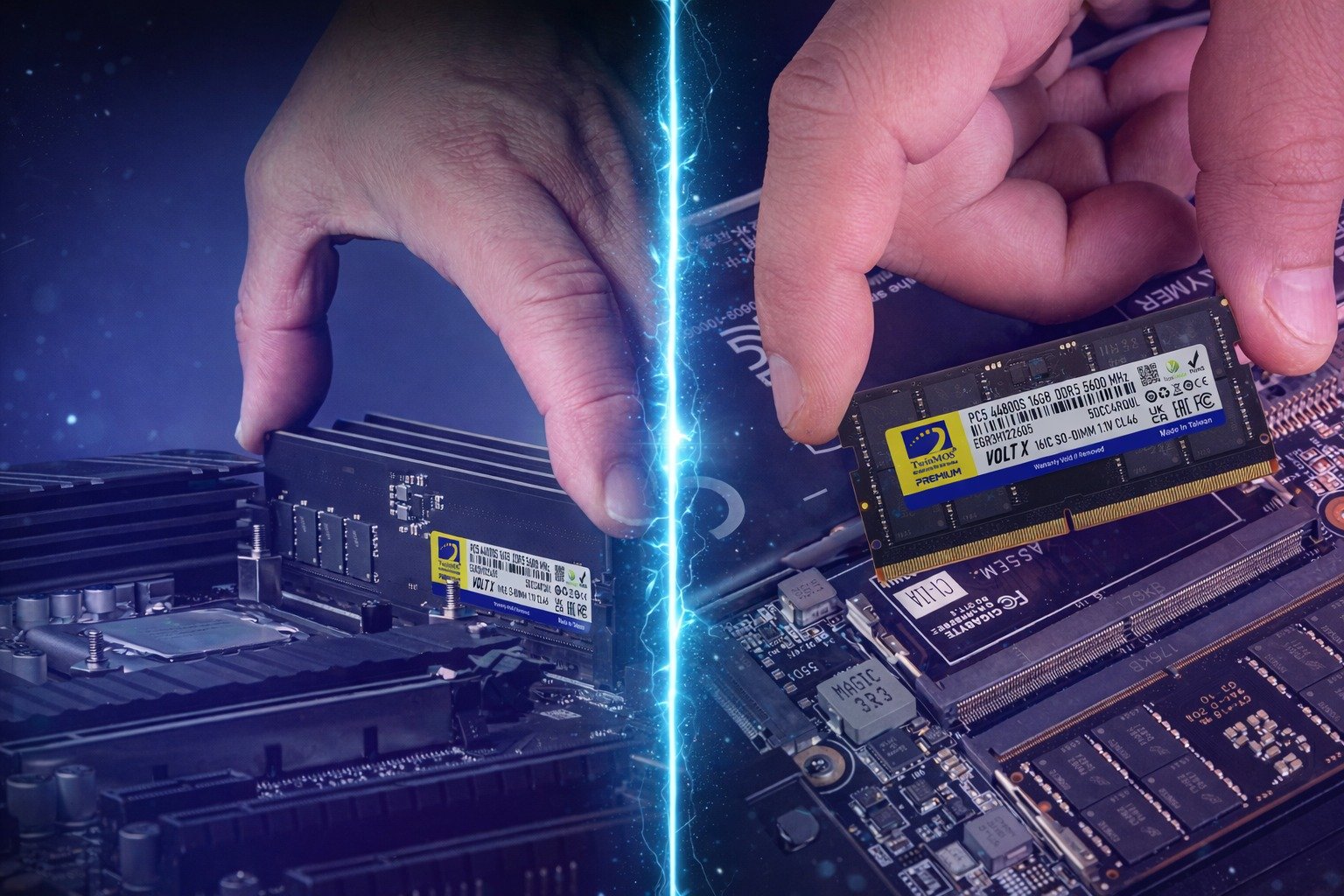
Although laptops and desktops both use RAM, the modules themselves are physically different.
- Desktop RAM: DIMM modules
- Laptop RAM: Smaller SO-DIMM modules
Before upgrading a laptop, check whether the RAM is upgradeable. Many thin laptops today have non‑upgradeable, soldered memory .
Desktop computers, however, are typically much easier to upgrade.
RAM Speed and Frequency
RAM capacity is important, but speed also matters.
Memory speed refers to how quickly RAM can transfer data to the processor.
Higher‑frequency RAM can improve performance, but the impact depends heavily on the workload like :
- Gaming
- Video editing
- Scientific computing
However, capacity usually matters more than speed.
For example:
16GB of average-speed RAM is usually better than 8GB of very fast RAM.
How to Pick RAM for Your PC
Choosing the right RAM involves several factors.
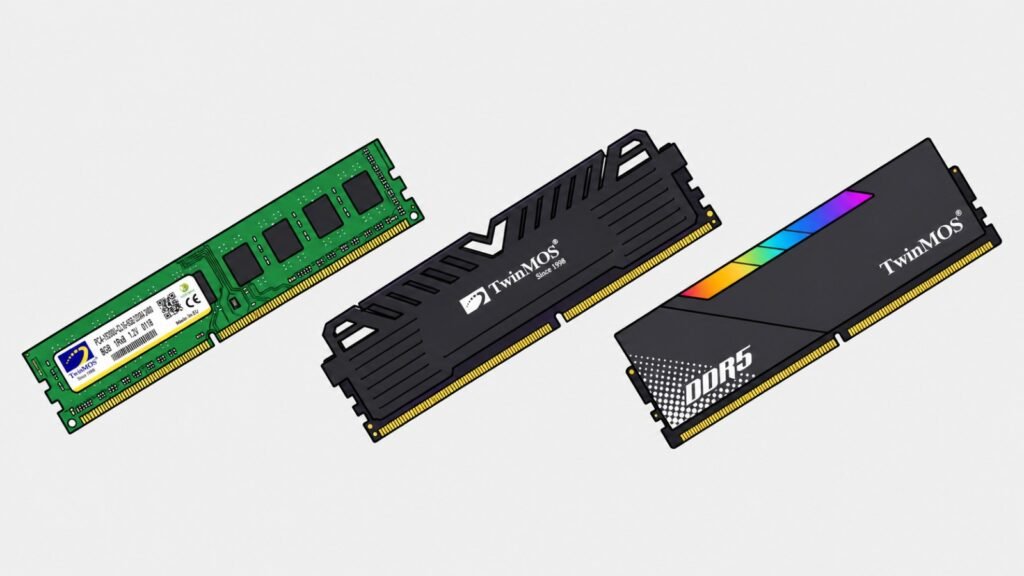
First, confirm compatibility with your motherboard. Modern systems typically support DDR4 or DDR5 memory.
Second, choose a reliable brand and ensure the memory frequency matches your motherboard’s supported speeds.
Finally, think about your future needs. Buying slightly more RAM now may save you another upgrade later.
RAM Upgrade Guide
A RAM upgrade is one of the easiest hardware upgrades you can perform.
In my experience upgrading many computers, adding more memory can dramatically improve performance.
If your computer slows down when multitasking, increasing RAM may be the simplest solution.
Before upgrading, check:
- Motherboard compatibility
- Maximum supported RAM
- Memory type (DDR4 or DDR5)
How to Upgrade RAM
Upgrading RAM is usually a straightforward process.
- Shut down and unplug the computer.
- Open the case or laptop access panel.
- Locate the RAM slots on the motherboard.
- Insert the new memory module firmly until it clicks.
There are many helpful tutorials online for installing RAM safely.
For laptops, the process is similar, but access panels vary depending on the model.
Always check your manufacturer’s documentation before attempting a laptop RAM upgrade.
Best RAM for Gaming PC
When selecting RAM for gaming systems, performance and compatibility matter more than aesthetics.
While gaming RAM frequently comes with RGB lighting and stylish heat spreaders, the most important considerations are still capacity and speed.
For most modern gaming PCs, an ideal memory configuration includes:
- 16GB or 32GB of DDR4 or DDR5 RAM, depending on system requirements and budget
- A motherboard that supports the selected memory type and frequency
- A reliable brand that ensures stable performance during gaming and multitasking
FAQ About Computer RAM
How much RAM do I need for everyday use?
For general use—including web browsing, office applications, and media playback—8GB to 16GB of RAM is usually adequate for the majority of users. .
Is upgrading RAM worth it?
Yes. If your computer frequently runs out of memory, upgrading RAM can significantly improve performance.
Is there such a thing as too much RAM?
Not really.
Having more RAM than needed won’t slow down your system — it simply means some memory remains unused.


